
Kart timing system and lap timing software.Live timing from the decoder you already own.
Venuboost takes the crossings from your MyLaps or RACE RESULT decoder and turns them into positions, lap times and gaps on every screen in the building. The timing runs on a computer at your venue, so a race never waits on the internet, and the result is printed before the drivers are out of their karts.
How it works
From the loop to the wall in four steps.
A kart timing system has two halves. The hardware, meaning the loop in the track, the transponder on each kart and the decoder that listens to them, tells you that a kart crossed the line and when. The software decides what that means: whose lap it was, where they are in the race, and whether it was a real lap at all. Venuboost is the software half, and it works with the hardware most tracks already have.
The kart crosses the loop
The transponder on the kart is read by the loop in the track, and the decoder reports the crossing with its time to the thousandth.
Venubridge scores it
On the venue computer the crossing becomes a lap for the driver in that kart, a new position and a new gap to the leader. It is written to disk before anything else happens.
The screens move
Every board in the building updates from the bridge over your own network, so the position change is on the wall while the kart is still in the first corner.
The cloud catches up
Laps go up to Venuboost every second, ready for the driver's history, the fast times board, the points and your reports.
Decoders
Keep the loops. Keep the transponders.
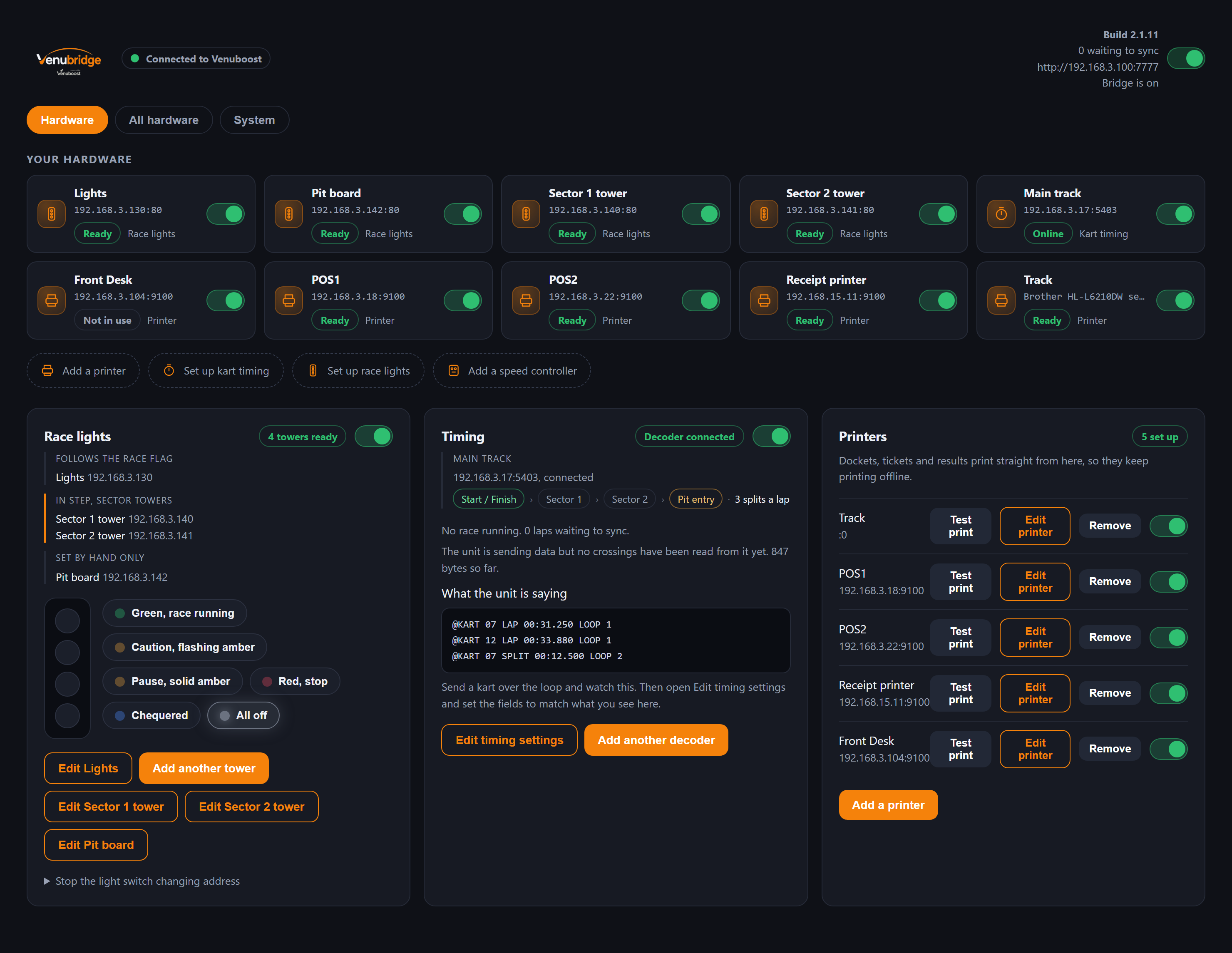
Changing your timing software should not mean digging up the track. Venubridge connects to the decoder over your own network and reads it directly. When it is first set up it sweeps the network and asks each address what it is, so staff choose the decoder from a list rather than hunting for an IP address.
- MyLaps decoders on the P3 protocol, such as ProChip and RC4
- RACE RESULT 4000 and 5000 series
- MyLaps X2 through the X2 Server, with a small converter in front of it
- DeHaardt controllers, to slow and stop the karts when the flag changes
- A simulator, for setting up and training staff before a kart turns a wheel
A decoder brand that is not on the list can often be added from our side as a description of its feed, without a new version of Venubridge. Ask us before you buy new hardware.
The live board
A timing screen people can read from the back of the room.
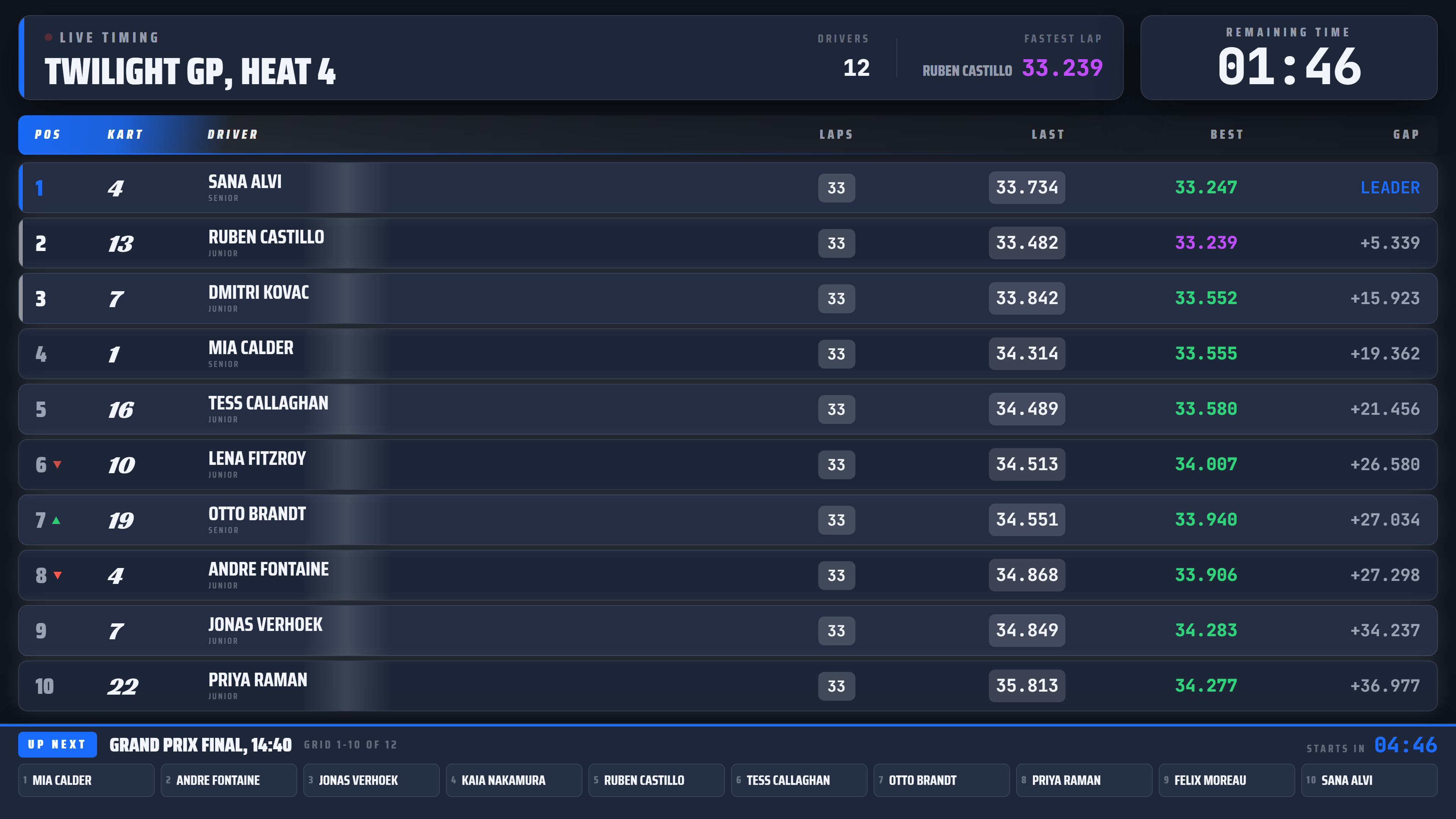
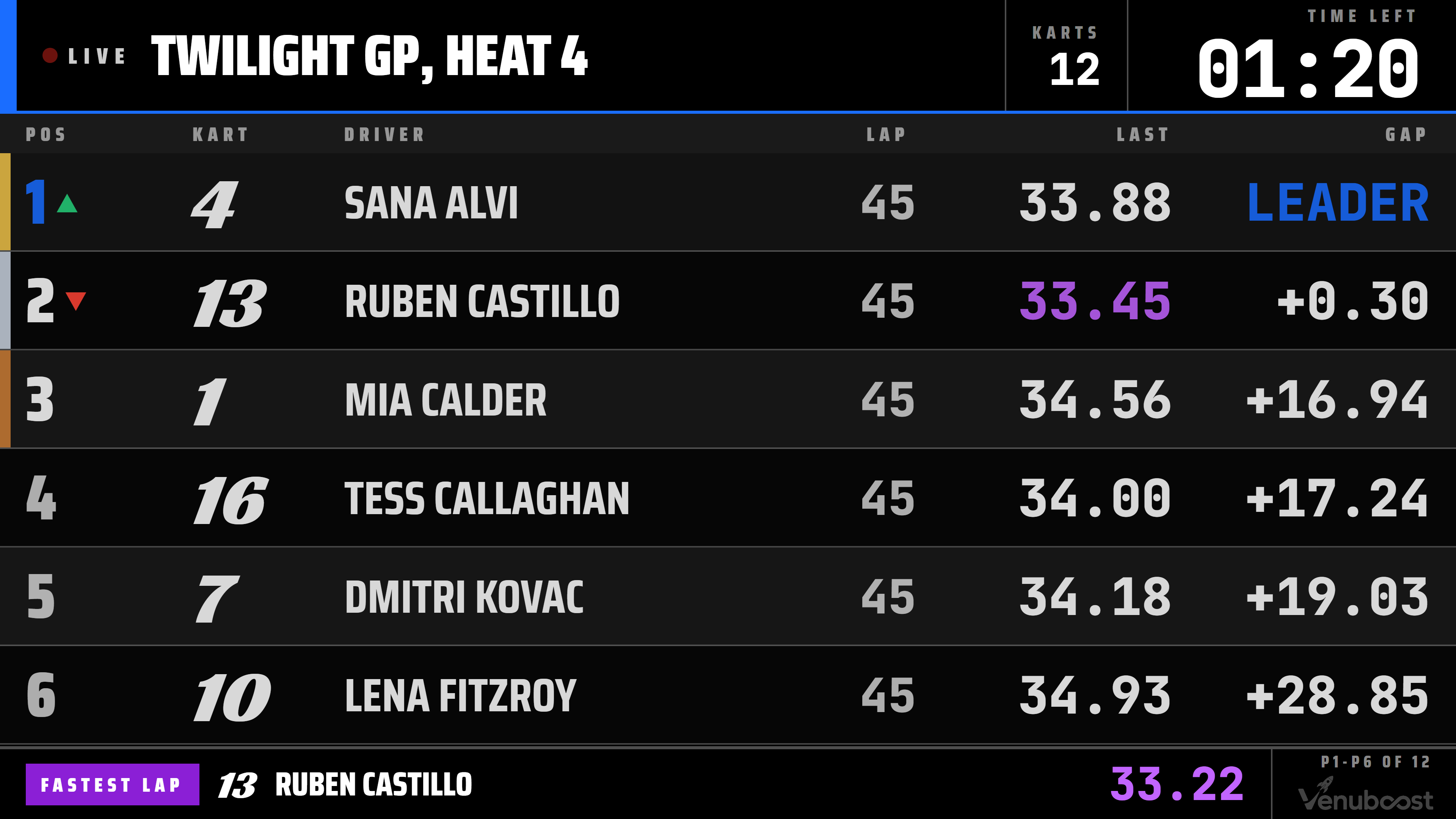
Positions reorder in place as the crossings come in. Each row carries the kart number, the driver, their laps, their last lap, their best lap and their gap to the leader. A driver setting a personal best or the fastest lap of the session flashes as it happens, and a long field pages through on its own so every driver gets their moment on the screen.
- Lap times to the thousandth on the standard board
- A larger board for projectors and very big screens
- The sessions coming up next, so the next group is ready
- A podium when the chequered flag falls
Sectors and pit lane
More than one loop, and every one of them counted.
A track with loops around the circuit as well as the one on the line gets sector splits. You name each loop in Venubridge, and the crossings in between become the splits that make up a lap, with the session's best split picked out. A loop at the pit entry and exit, or a single loop in the pit lane, tracks a kart in and out of the pits.
- Splits that add up to the lap on a clean lap
- A missed sector is marked incomplete, never invented
- Pit in and pit out loops, or a single pit lane loop
Clean data
A lap record should be a lap somebody actually drove.
Drivers only care about lap times they believe. A track record that came from a double read, or a final decided by a transponder that went flat halfway through, is the kind of thing regulars talk about for months. Four things in Venuboost stop it happening.
The shortest believable lap
Each track has a minimum lap time. A crossing quicker than that is a second read of the same pass, and is dropped before it reaches a result.
Transponder health
Every crossing reports how strongly the tag was read and how many times. A tag reading weaker week on week is named as likely going flat, before it starts dropping laps.
Laps follow the kart
Laps are scored to whoever was in the kart, so a kart swap mid race still ends with the right laps against the right driver.
Records a manager can correct
Track records are kept from real laps, and a manager can pull a suspect one so the board shows a time somebody actually drove.
After the flag
The result prints while they take their helmets off.
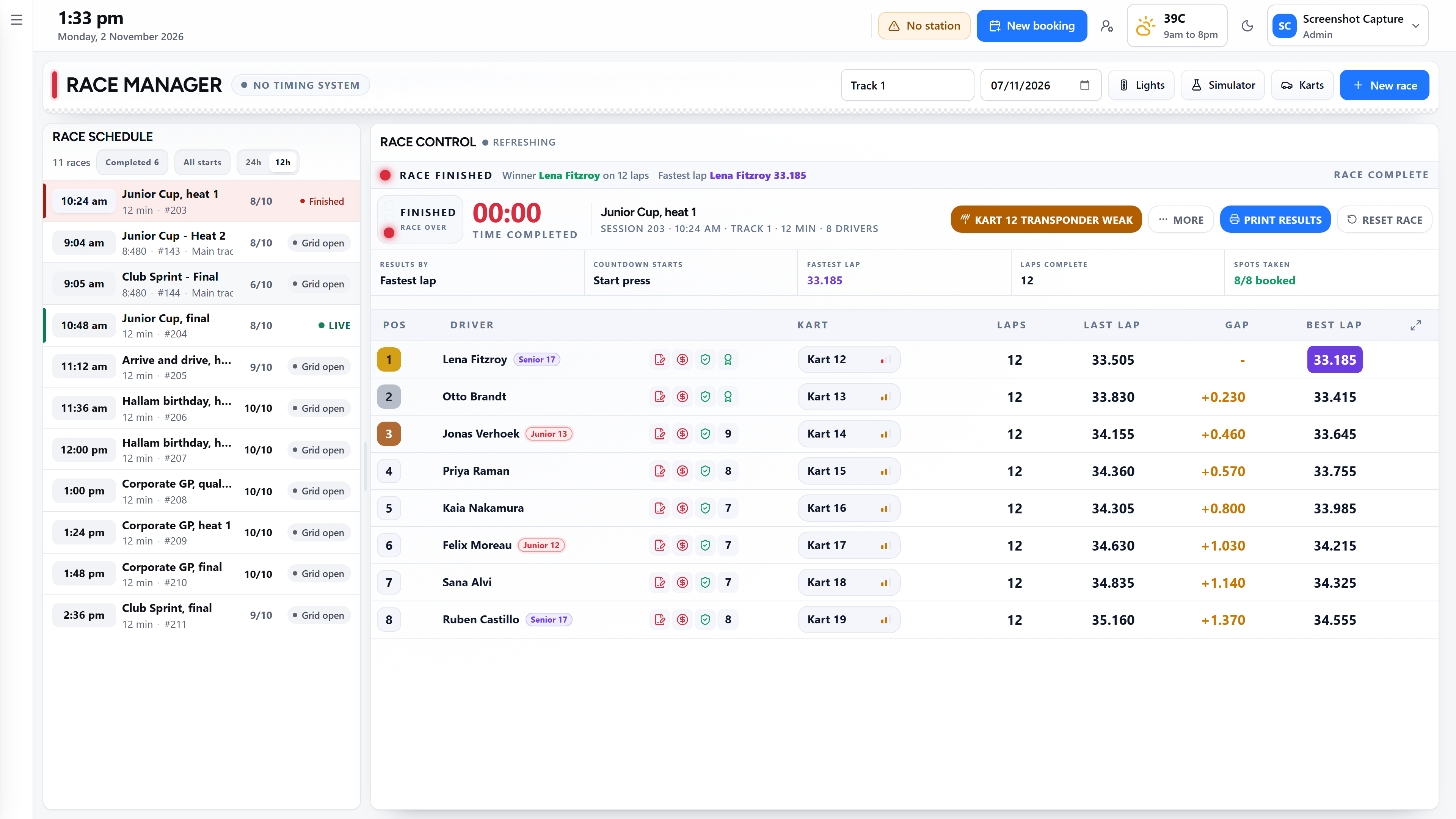
When the session ends the result is sealed and sent to the printer at the counter, on a receipt printer or a full page, without anybody pressing print. You choose whether each driver gets their own sheet or the counter gets one copy of the field. The printing goes through Venubridge, so it keeps working when the internet does not.
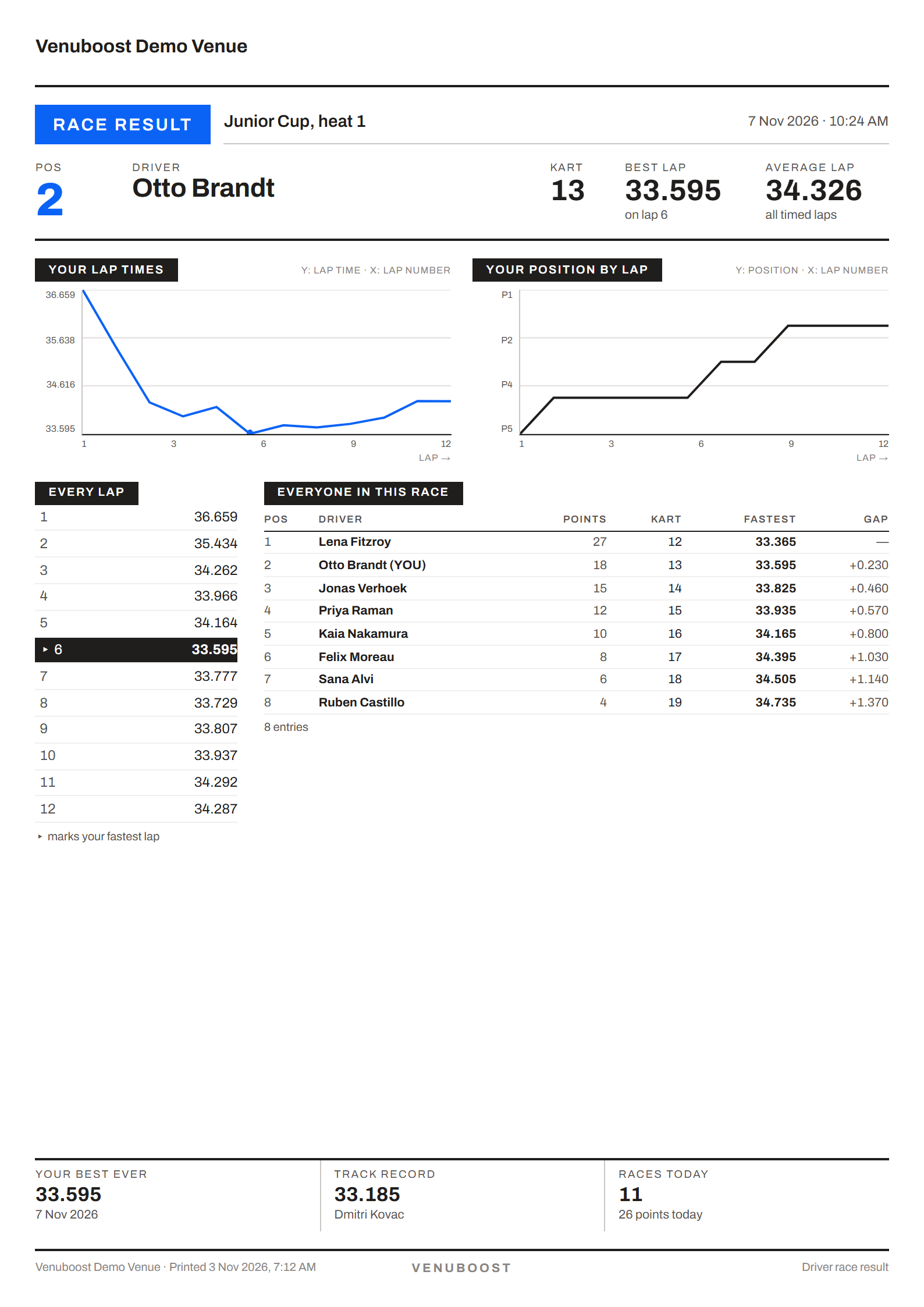
The sheet shows every lap the driver did with their quickest one marked, their position lap by lap, their best ever time at your track, the track record and the full classification. It is the thing they take home and the thing that brings them back to beat it.
Every lap also stays against the driver. They can sign in to their own page for your venue and see each session they have run, their lap times and their championship points, and staff can see the same history at the counter.
Fast times
The board that makes people book again.
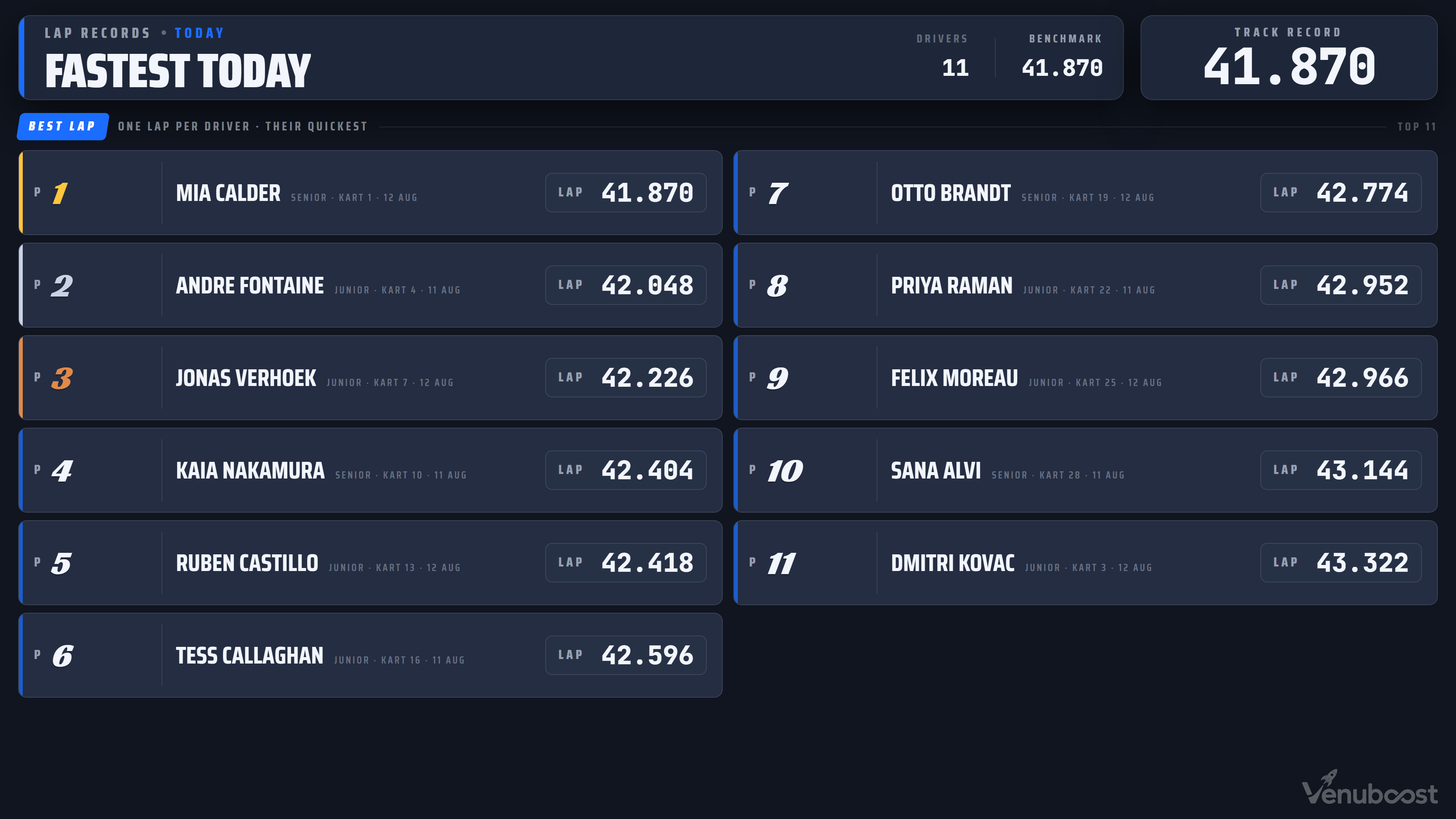
The fast times board lists one lap per driver, their quickest, for today, this week, this month, this year or all time, with the track record beside it. A screen can rotate between them, so the waiting area sees who is quickest today and who holds the record. It updates on its own from the timing, with nobody typing names into a slide.
Personal bests and career bests are kept for every driver, so a grid can be built on pace, with the quickest drivers together, rather than whoever booked first.
Built for a bad connection
The race does not know whether the internet is up.
Timing that depends on a website is a timing system that stops when the line drops. Venubridge does the timing on the venue computer and keeps an append only log there, flushed to disk as each crossing arrives. The live board, the light towers and the printers all run from it over your own network. Laps go up to the cloud every second when the line is good, and catch up when it comes back, with each lap carrying its own id so a resend never counts twice.
The same bridge drives the rest of race control: the grid checks before a session is armed, the flag that changes the lights and the kart speed together, and the points that roll into your series. More on that on the race control page.
Questions
What operators ask about timing.
Which kart timing systems does Venuboost work with?
Venuboost reads MyLaps decoders that speak the P3 protocol, such as ProChip and RC4, and RACE RESULT 4000 and 5000 series decoders, connected over your own network. A MyLaps X2 installation runs through an X2 Server, which needs a small converter before Venubridge can read it. DeHaardt controllers are supported for slowing and stopping karts.
Do we need new transponders or loops?
No. Venubridge reads the decoder you already have, so the loop in the track and the transponders on the karts stay as they are. You tell Venuboost which transponder is on which kart, and from then on laps are scored against whoever is driving it.
What computer does the timing run on?
Timing runs on an ordinary small desktop computer at the venue, running Windows or macOS, on the same network as the decoder. Venubridge installs like any other app, finds the decoder on the network for you, and keeps itself up to date.
What happens to the timing if the internet drops?
The race carries on and the drivers will not notice. Laps are worked out on the venue computer and written to disk there first. The board, the lights and the printers keep going on your own network, and the laps are sent up to the cloud when the line returns. Each one carries its own id, so a lap sent twice is only ever counted once.
Can we show lap times on the televisions in the building?
Yes. Any screen running Venucast can show the live board, a larger board sized for a projector, the fastest laps of the day, week, month, year or all time, and the sessions coming up next. Screens on your own network are served by Venubridge, so they keep running without the internet.
How do you stop a double read becoming a lap record?
Each track in Venuboost has a shortest believable lap, set by the venue. A crossing quicker than that is treated as a second read of the same pass over the loop, not as a lap. If a suspect lap does reach the records, a manager can pull it.
Timing is one part of Venuboost karting software, which runs on the same venue platform as your bookings, till and waivers. The race control add on is listed on the karting software pricing page, or tell us which decoder you run and we will confirm it before you sign up.
Bring your decoder details and we will put your track on the board.
Tell us what is in the ground and on the karts, and we will show you your own laps on the live board, the fast times screen and the printed result.