
Venue booking and POS software.The perfect day, booked before anybody arrives.
Everything here starts at the booking, because the booking is the only part of your venue a guest actually experiences before they walk in. Get the day laid out properly and the rest of it follows: the counter knows them, the kitchen is expecting them, and nobody is standing at the desk being told there has been a mistake.
Overbooking
Turning a family away is the worst thing that happens at a counter.
They drove forty minutes, the kids are in the car park, and somebody has to explain that the booking is not really there. The guest remembers it for a year and tells people. Your staff carry it for the rest of the shift, and they are the ones who have to say it out loud.
It happens because two systems each thought the seat was free. There is one record here, capacity is counted against the resource itself, and the grid will not offer a time the floor cannot run. The number on the screen is the number of karts on the track.
- Capacity counted per resource, so two bookings never land on the same ten karts
- A held slot is held while the guest is paying, and released if they walk away
- A manager can push past a limit with a PIN, and the override is recorded
- Every change is on the one booking, so the counter and the page never disagree
Arrive 9:00am, three turns each
Ten karts, twelve minute heats, twenty four minute lead in
Group A
11 drivers
Group B
11 drivers
Twelve minutes between each group's turns, which is the break this venue asked for.
Twelve karts on the track every fifteen minutes is a capacity of twelve, a fifteen minute session and a start time to line up to. Set those three and the whole day runs on that rhythm, every day you are open.
01Scheduling
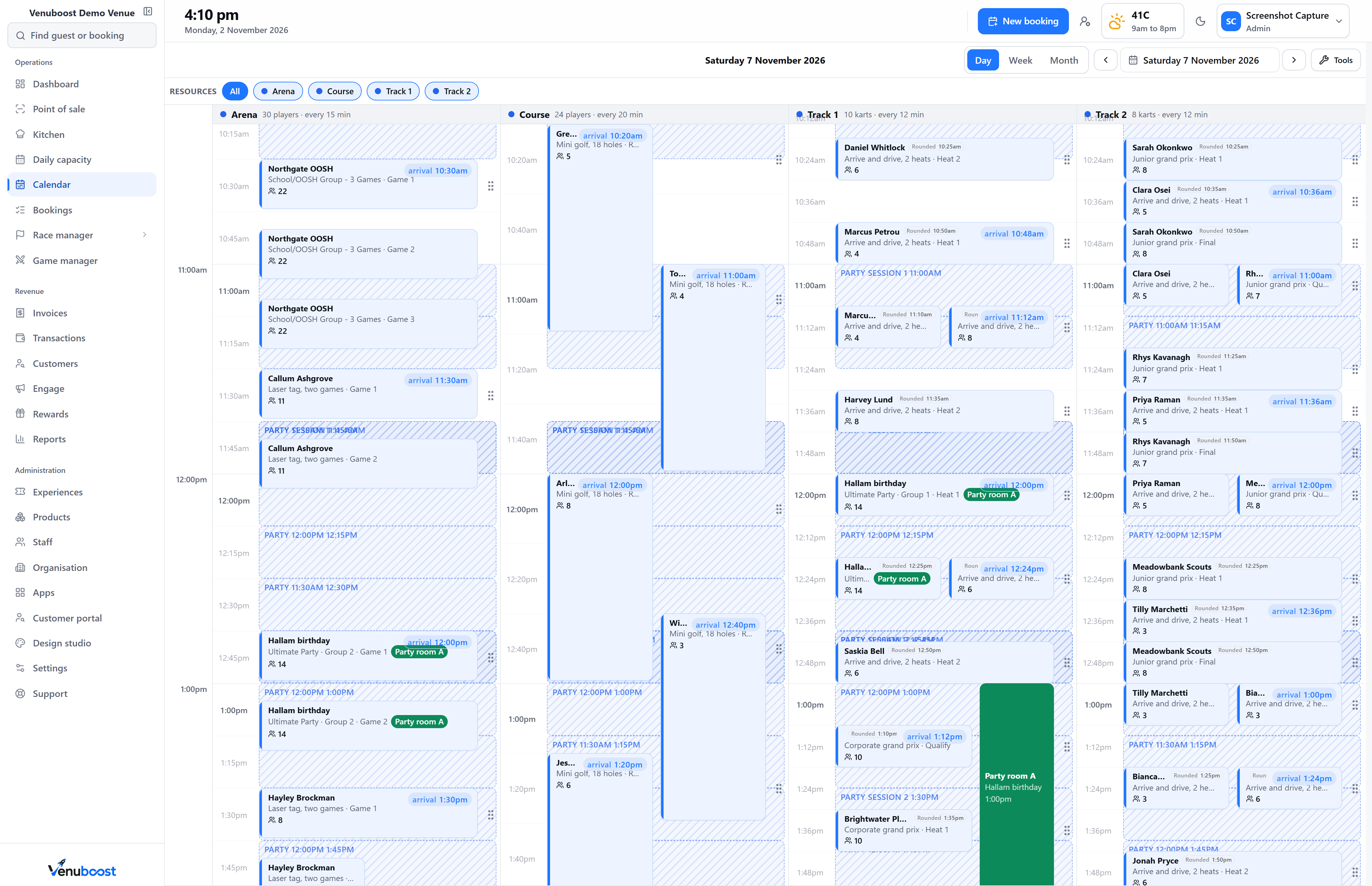
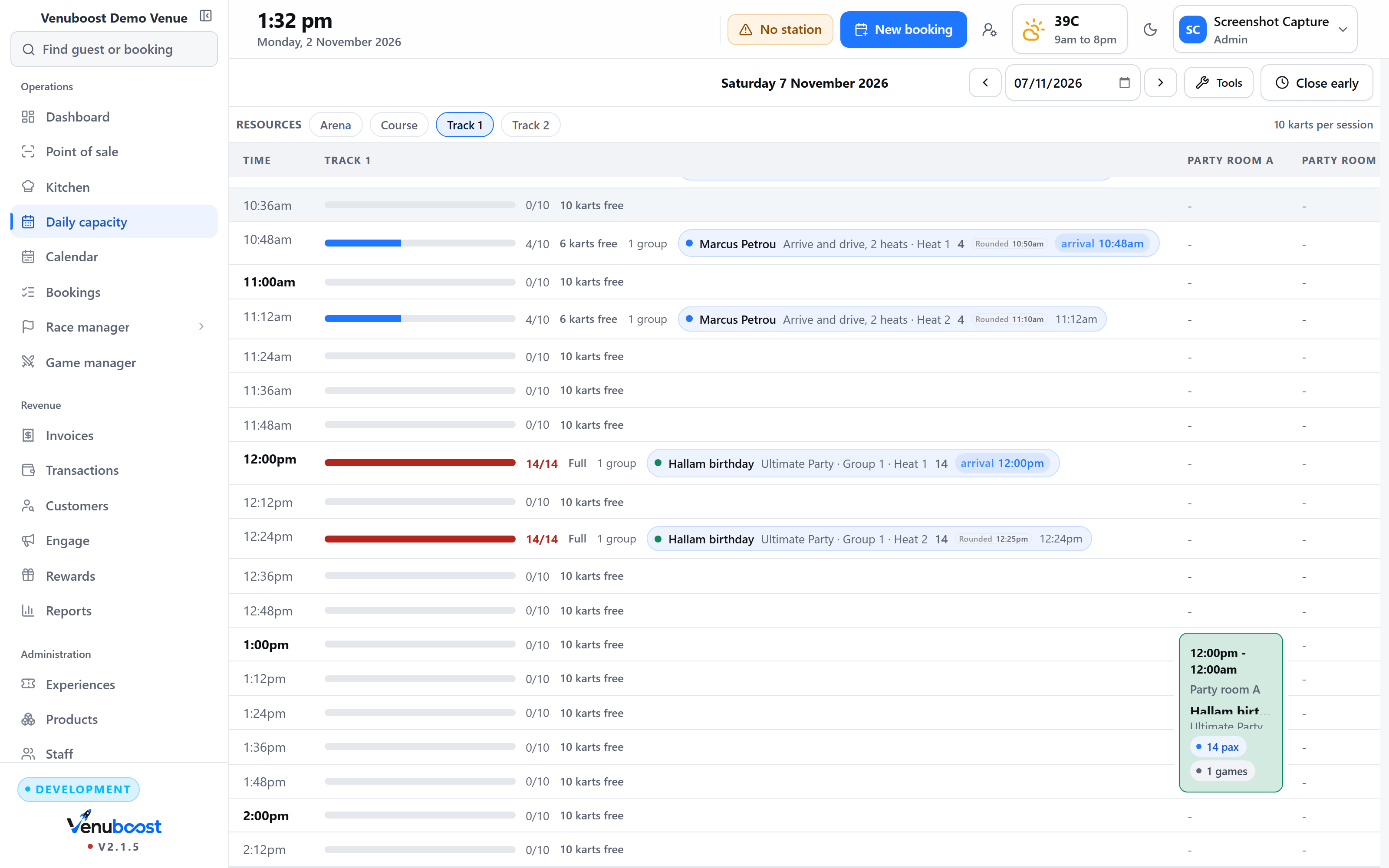
A grid built from what each resource actually runs.
A track on twelve minute heats and a laser arena on twenty minute games sit on one board without either pretending to be the other. Capacity is counted per resource, so the page cannot sell a seat that does not exist.
- Every resource on its own interval, as the one source of truth
- Combo experiences that walk a group from one activity to the next
- Party rooms held for the minutes they are used
- A public holiday overridden without touching the ordinary week
02The counter
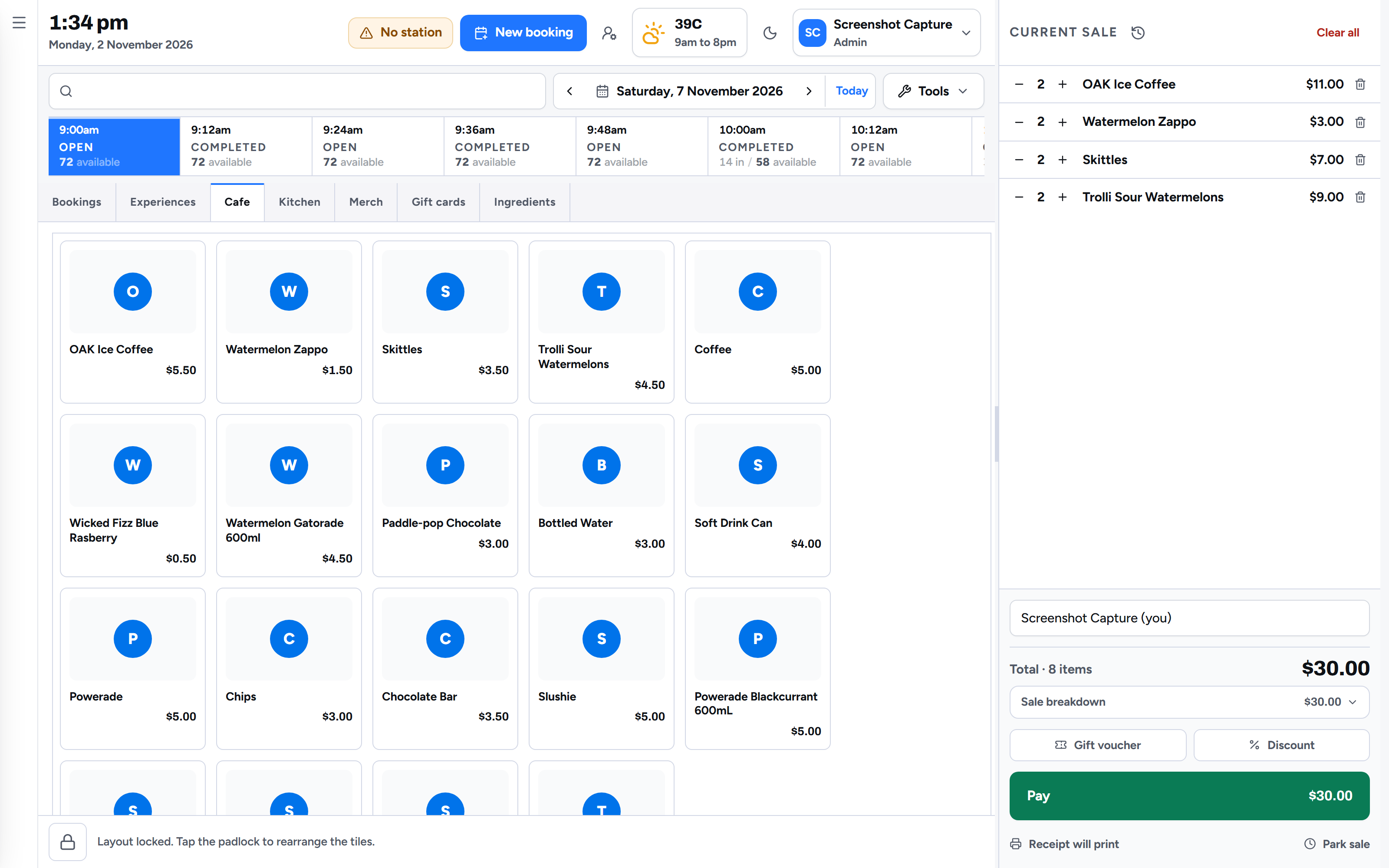
Four taps, and the till already knows what was paid.
Group size, activity, time, paid. Age groups price themselves, the waiver state sits against every seat, and the deposit taken online has already come off the total.
- A sell screen sized for a finger on a touch terminal
- Split payments, part payments and refunds on the one sale
- An idle lock and a staff PIN, so an unattended counter is safe
- Cash up across bookings, kiosk and bar in a single reconciliation
03Online booking
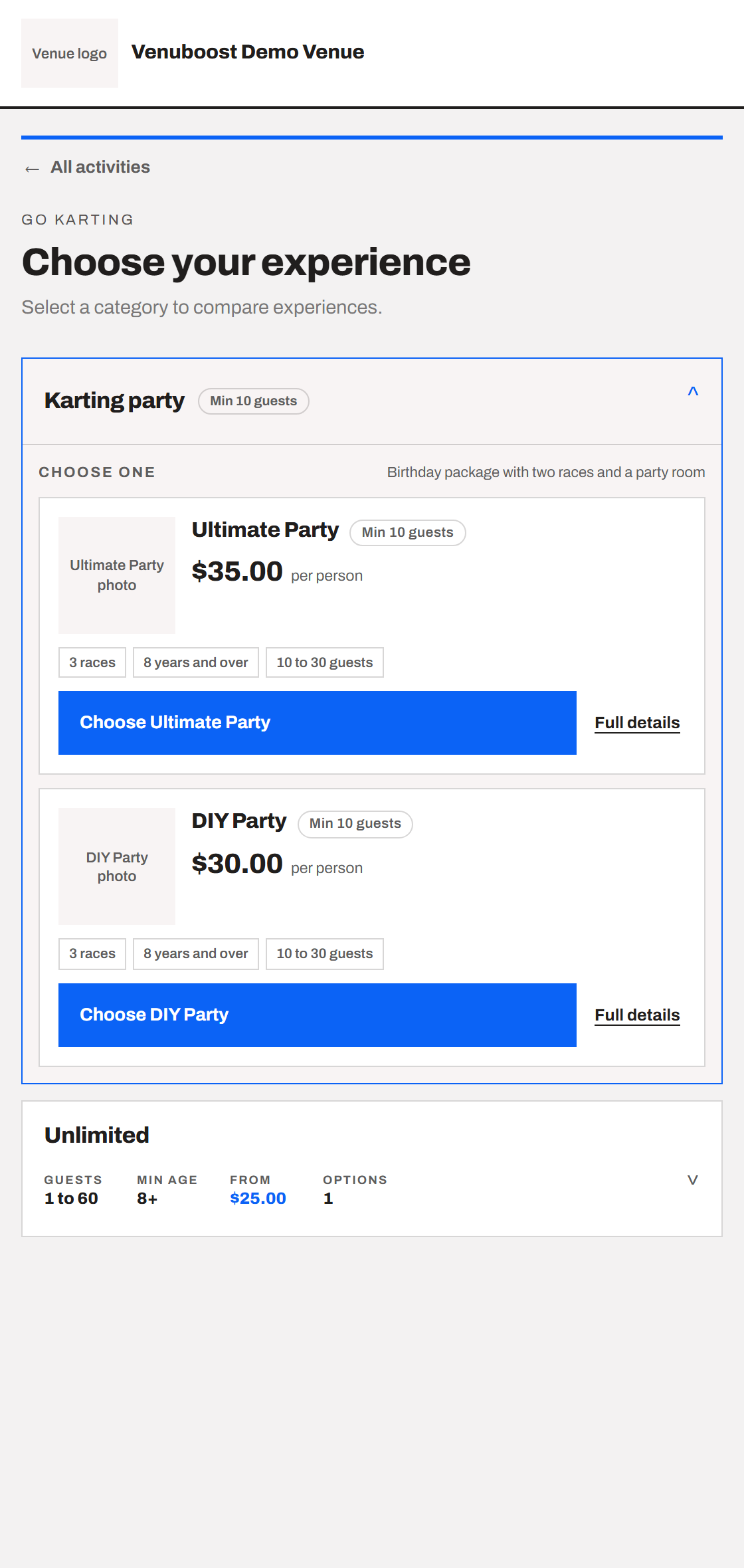
Your own page, with real times on it.
Live availability across every activity, packages bundled the way you sell them, and a deposit taken up front. The page carries your venue's name and colours, and the booking lands straight on the grid.
- Real availability, so a parent can finish the booking at eleven at night
- A deposit or the full amount, your choice per experience
- The waiver link goes out with the confirmation
- Reminders by email and text, in the language the guest booked in
04Waivers
Signed by the person, and expiring on their own.
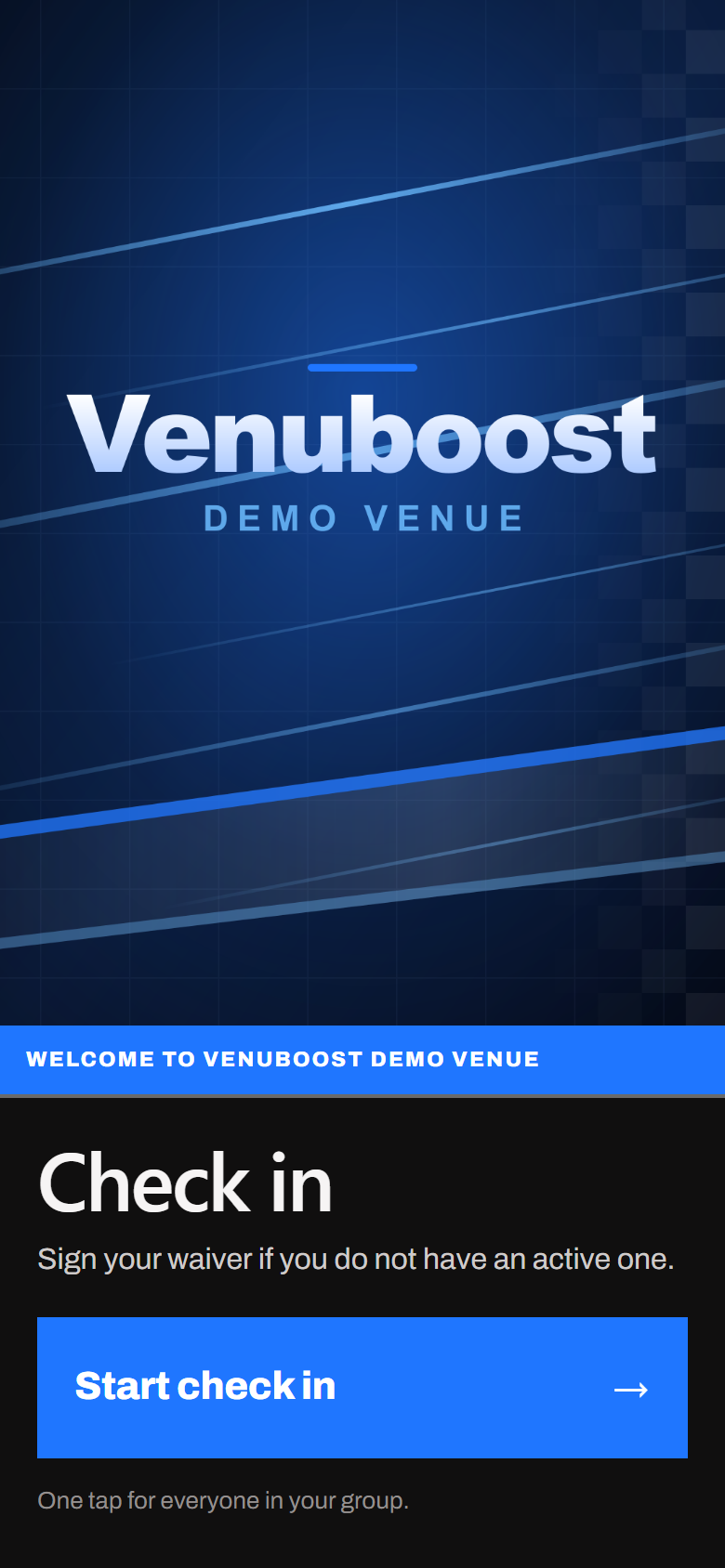
One code on a foyer screen or an iPad seats signers straight onto the booking. A parent signs for their own children by name, the date of birth picks the right form, and a waiver stops counting once it is past its window.
- A waiver screen for a television or a tablet in the foyer
- Guardian signing, with each child listed
- Validity in months, set by the venue
- The signed document kept against the customer record
05Kitchen
Food that arrives when the party is sitting down.
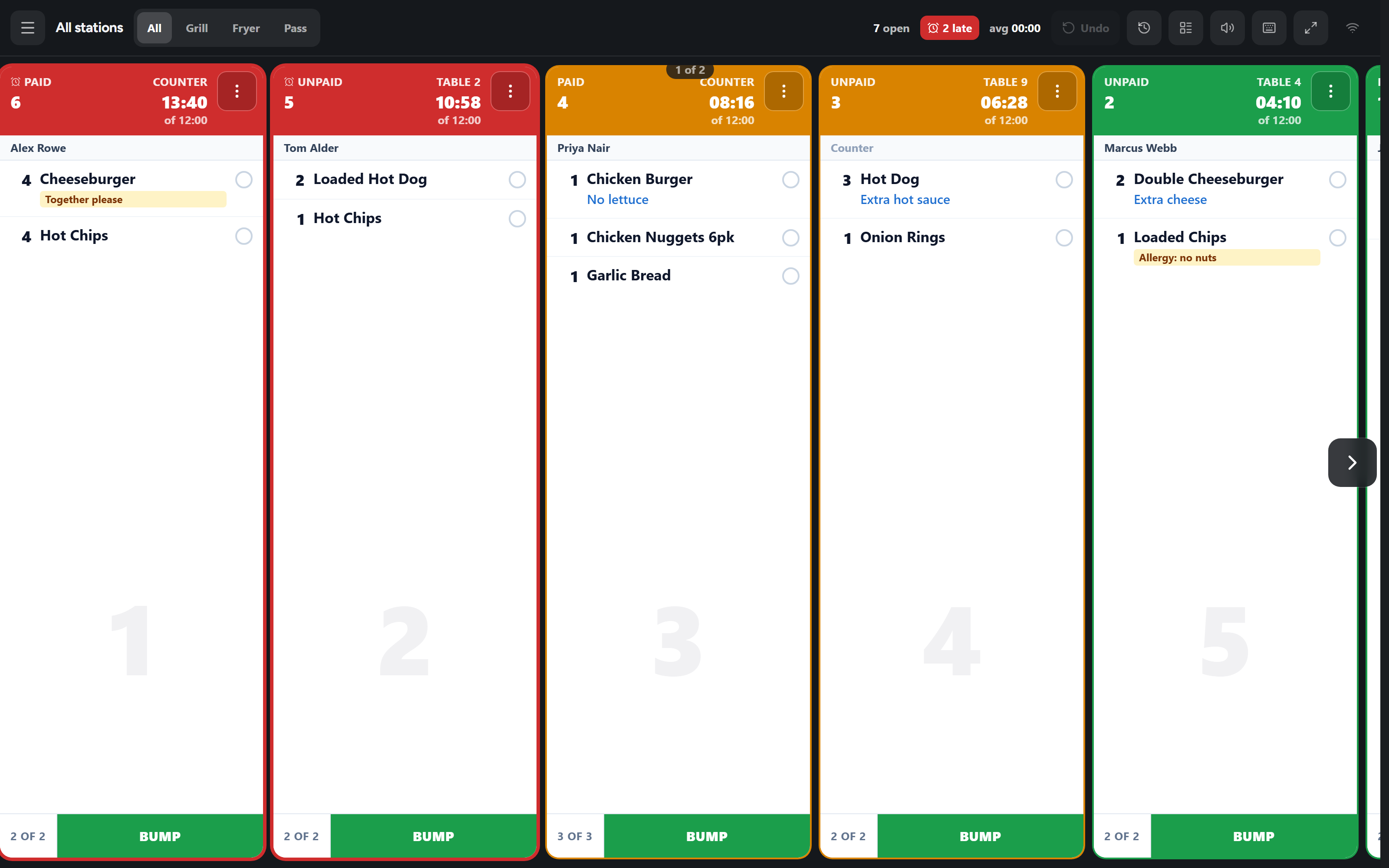
Catering ordered with the booking is fired to the kitchen at the time it is wanted. Walk up orders from the counter and the table join the same rail, and the clock on a ticket counts from when the kitchen got it.
- Tickets in the order they were fired, with colour at the times you set
- Tap an item to tick it, tap the ticket to bump it, pull it back if a hand was quick
- All day counts, so the grill knows it is making five burgers and not one
- A touch monitor, a tablet or a bump bar, whichever the kitchen already has
06Reporting
The numbers turn up without anyone asking for them.
Revenue by session, staff cost against takings, utilisation by resource, and which activity is quietly carrying the weekend. Reports download as proper documents and can arrive in an inbox on a schedule.
- Takings by activity, session and staff member
- Utilisation, and the bookings that never turned up
- An end of day pack emailed to the people who need it
- Several venues on one login, with a figure across the group
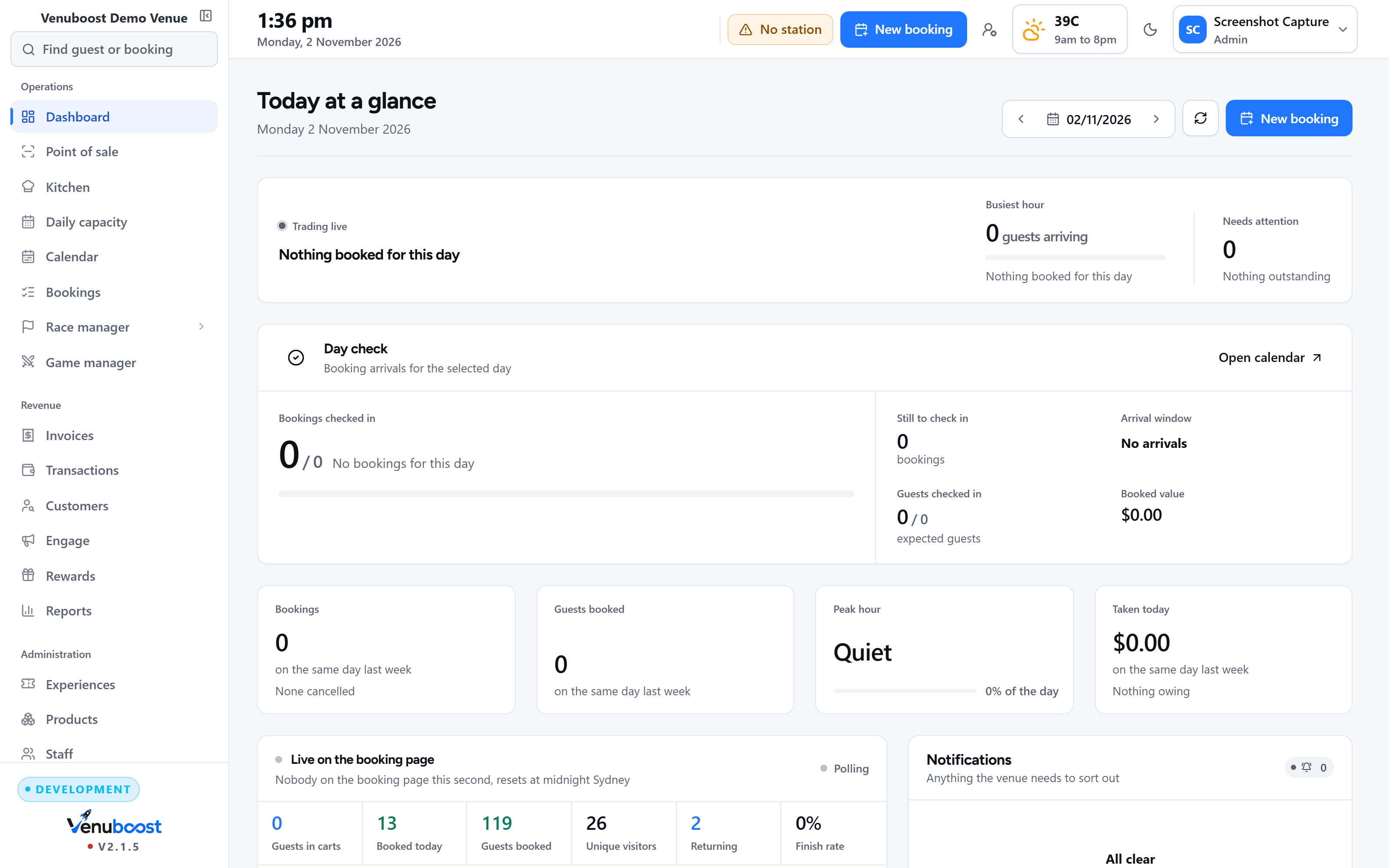
Also in the box
The parts nobody puts in a demo, that you touch every week.
None of this is an upsell or a roadmap. It is in the product, it is in the price, and most of it you will set once and never think about again.
On the floor
Stations and devices
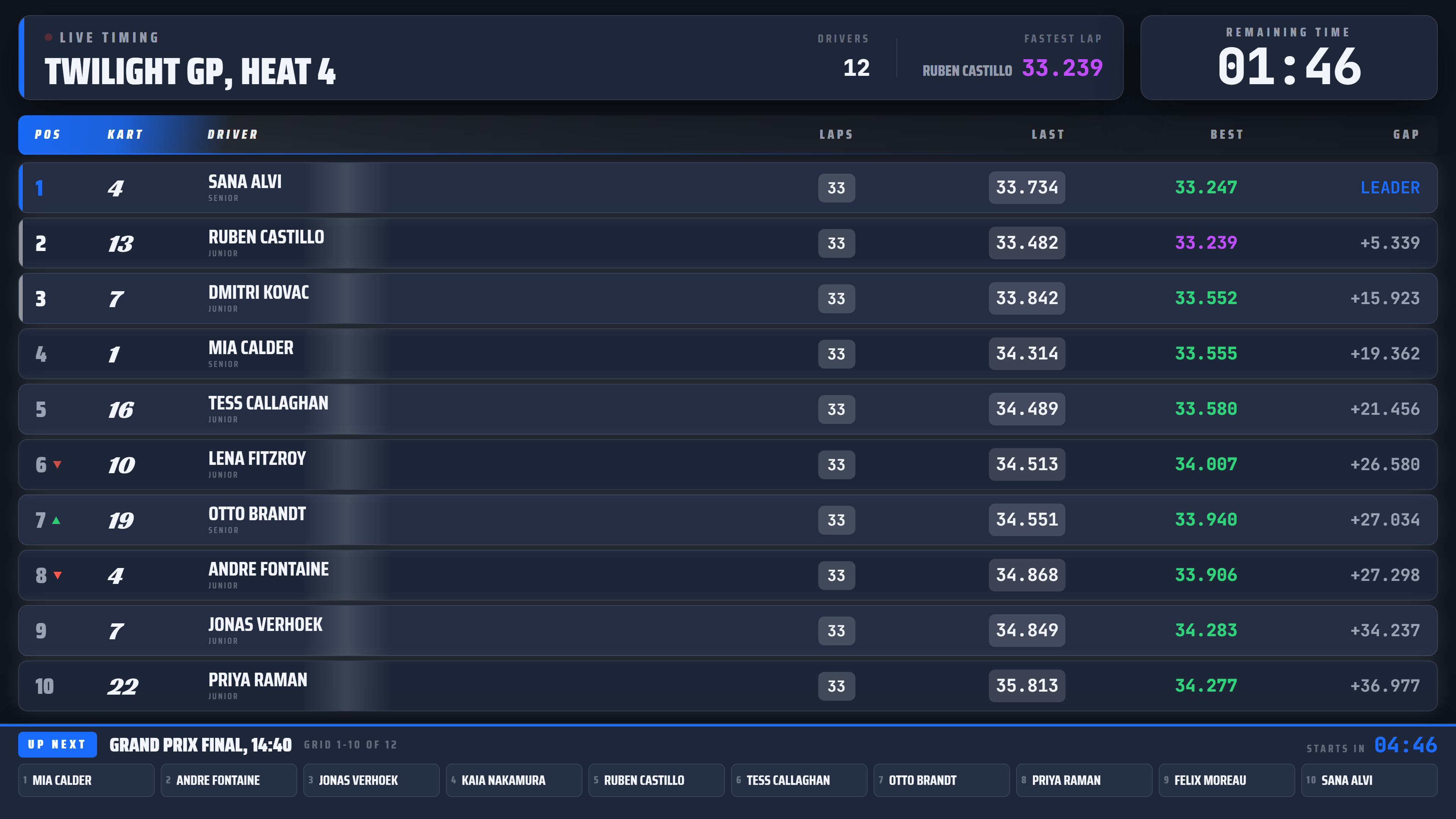
A tablet in the foyer, a screen at the counter, a television on the wall. Each one pairs with a code and is told what it is for, and you can see which are awake from the office.
Waivers sent to a station
The counter picks a guest and sends their waiver to a particular tablet. That tablet covers its screen with their name and hands over a part filled form when they tap start, so nobody has to work out whose turn it is.
Self serve at the door
A walk in picks an activity, signs and pays at the kiosk without queueing, and the booking lands on the same board as everything else.
Arrivals and check in
A party checking in goes on the board, onto the screens and into the kitchen's timing at once, and joins a session another party is already holding rather than opening a half empty one beside it.
Who comes in
One record per person
Merge the duplicates a typo creates, then see every visit, waiver, payment, lap and note against the one person.
Age groups that mean something
Your own bands with your own names and ages. A band can be flagged so it carries a colour on the grid, which is how a marshal spots a cadet from across the dummy grid.
Guest questions
Ask what you need at the point they book or sign, and have the answers on the booking rather than on a clipboard.
Driver records and warnings
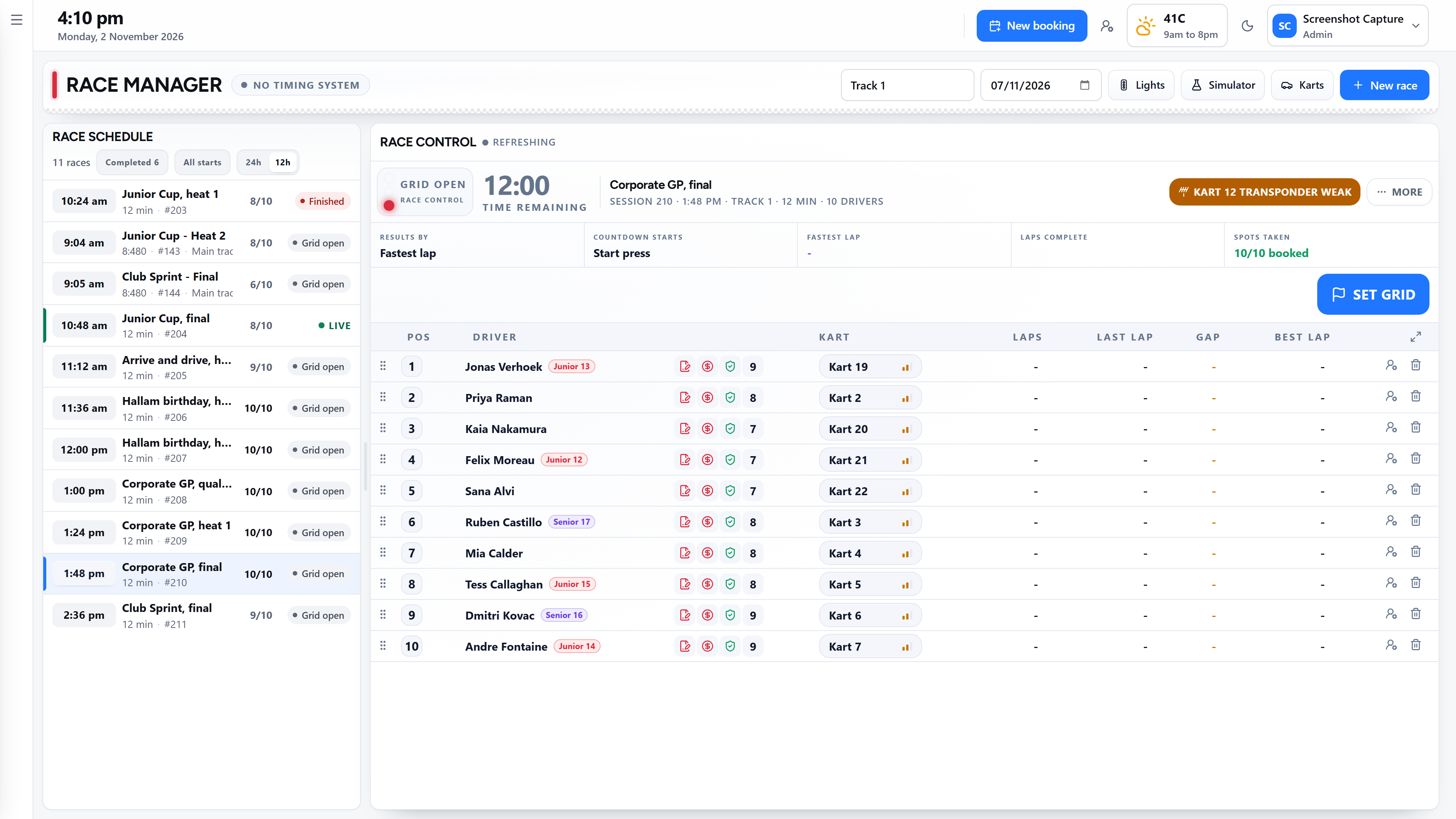
A caution or an incident stays with the person. Race control shows it on their row before they go out again, not after.
VIP, loyalty and rewards
Points on what people actually spend and do, with the tiers and the rewards set by you.
Group rates
A price that changes with the size of the party, applied as the booking is built rather than worked out by hand at the counter.
Money
Payments and terminals
Bring the merchant account you already hold. Deposits online, the balance at the counter, split across cards and cash, and refunds from the booking itself.
Tax, fees and surcharges
Your country's tax wording and rate, card surcharges, booking fees, and a public holiday loading that applies itself.
Invoices and accounts
Invoice a school or a company, take a part payment, chase what is outstanding, and send the document as your own rather than ours.
Stock behind the counter
Suppliers, costs, reorder levels and a short list that becomes a purchase order. A burger sold takes its buns and its patty out of stock through its recipe.
Keeping the day honest
Booking rules
Warn, ask for a confirmation, or refuse outright: mixed age groups, minimum notice, capacity edges. Set per venue, because a trampoline park and a kart track do not share a risk.
Staff, PINs and overrides
Roles decide what a person can reach. A sensitive action asks for a PIN at the terminal, and a manager override is kept with the reason they gave.
Holds and references
A slot is held while a guest is paying and released if they walk away, so a half finished checkout never quietly eats a seat.
A sandbox for the day
Try a change against a copy of a real day before you put it in front of a guest.
After they leave
Messages in your own name
Confirmations, reminders and campaigns under the venue's brand, in the language the guest booked in, with unsubscribes handled properly.
Reports that arrive on their own
Takings by activity, utilisation by resource, staff by till, and the day's pack in an inbox without anybody remembering to send it.
An API and webhooks
Read your own bookings, push a race in from another timing system, or hang your website off it. Documented, and yours.
Bring your history across
Customers, waivers and forward bookings come over before you go live, so day one is not an empty system.
Bring us your busiest Saturday and we will build it on the screen.
Half an hour, your own activities and your own prices on the board. You will see where the day has gaps in it before we say a word about what this costs.